
CRM Usability Enhancement
Redefining CRM efficiency and user experience through research driven and systematic design process, with a focus on balancing simplicity and functionality.
My Role
Lead UX Designer
Area
Design, Research, Strategy
Platform
Desktop Web Application
Highlights
I led the end-to-end UX strategy and design for a large-scale CRM usability enhancement initiative, overseeing a team of three designers to redefine core workflows such as contact management, list navigation, and accessibility. Through research-driven design and systematic process alignment, I bridged gaps between design and development, established the foundation of a scalable design system, and delivered measurable improvements.
✅
20% Reduction in Task Completion Time
Streamlined the “Add New Contact” flow with smarter automation and in-call integration, significantly reducing manual effort and improving recruiter efficiency.
😃
+4% Increase in User Engagement on List Page
Enhanced layout, visual hierarchy, and interaction design, resulting in better discoverability and smoother navigation across contact lists.
⬆️
+5% Increase in Filter Engagement Rateagement
Redesigned the filter panel for clarity and scalability, making it more intuitive for users to refine search results and access key data faster.
Background
After a rapid prototyping phase to support core features development, our team undertook usability initiatives to address critical roadblocks, including:
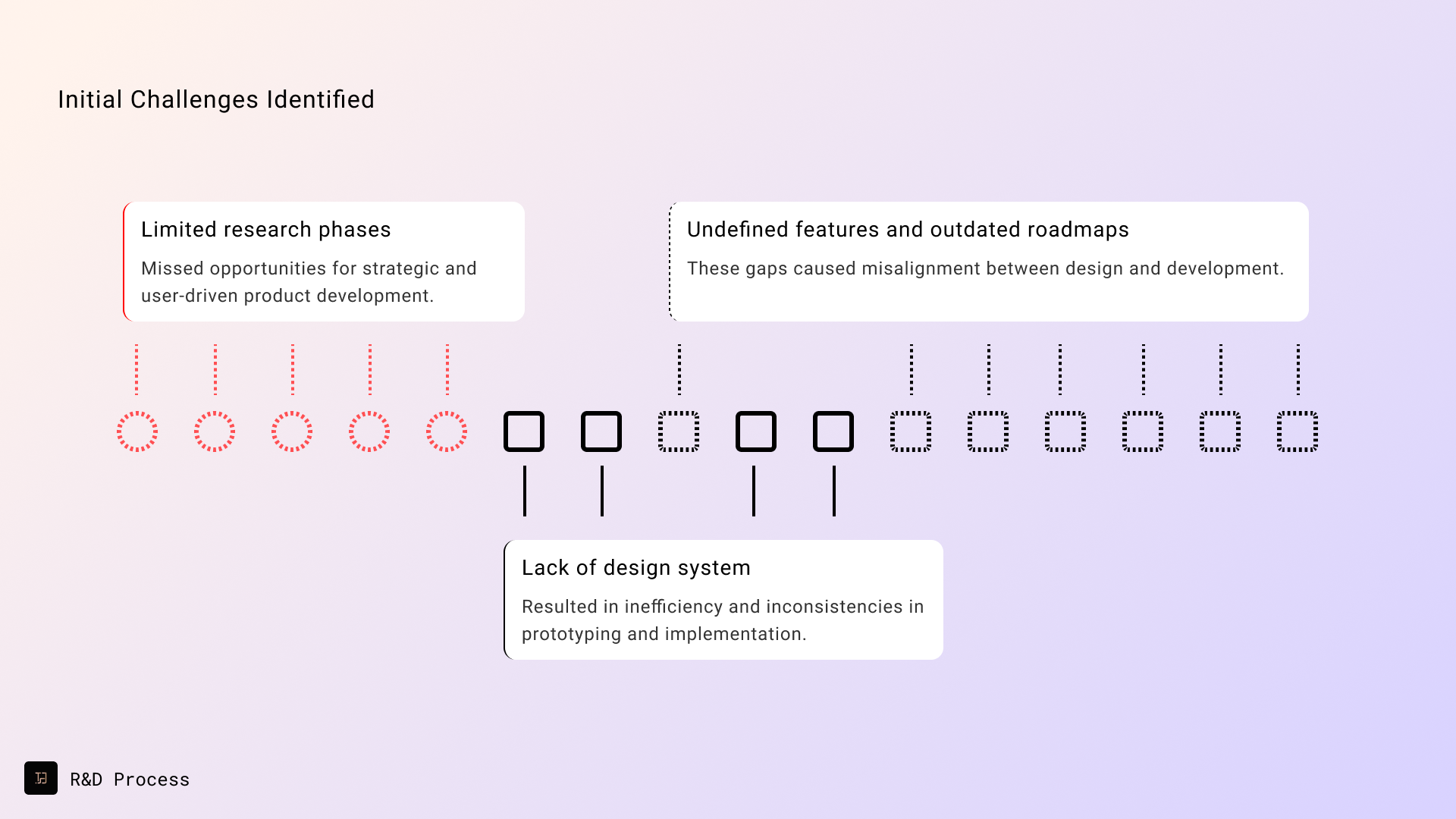
- Undefined features and outdated roadmaps: These gaps caused misalignment between design and development.
- Limited research phases: Missed opportunities for strategic and user-driven product development.
- Lack of a design system: Resulted in inefficiency and inconsistencies in prototyping and implementation.
To tackle these issues, I led, presented our challenges, and proposed user-centered strategies to the program manager. This collaborative effort involved leveraging our in-house recruiters (primary users) to initiate comprehensive user research, communicating effectively with stakeholders at all levels, and fostering cross-team collaboration to ensure product success.
Approaches
I adopted a product design approach to identify and solve pain points. The strategy rolled out:
- User Research: Conducted a mix of usability tests and user interviews to uncover persona based pain points, needs, and behavior workflows for the recruiting process and business development process.
- Competitive Analysis: Evaluated industry shifts to align with evolving business models, indicating a business need to be scalable and versatile in sales functionality.
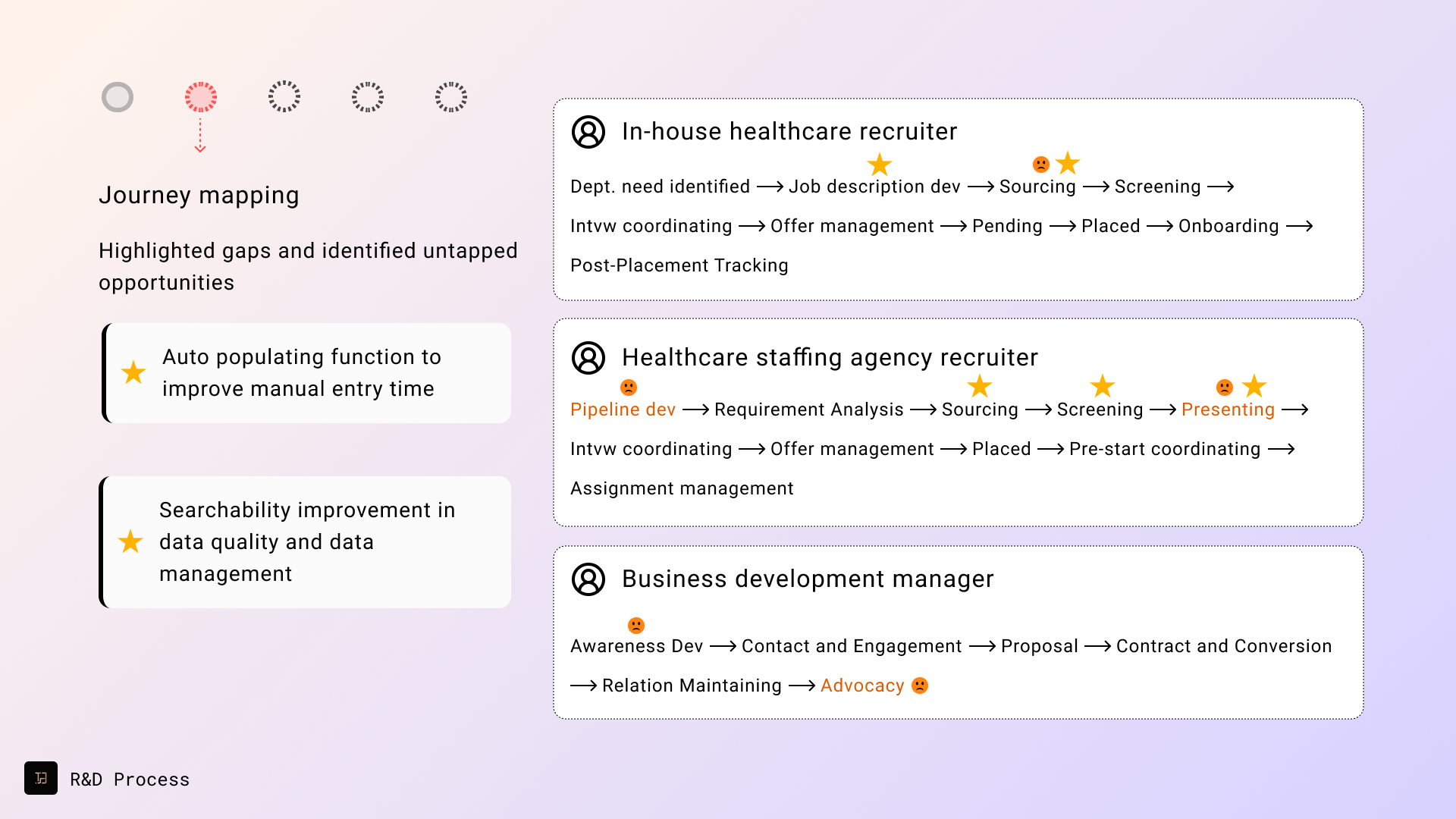
- Journey Mapping: Highlighted gaps and identified untapped opportunities, including filter improvement (i.e. radius search), color indicators, and AI-powered parsing and auto-fill feature integration.
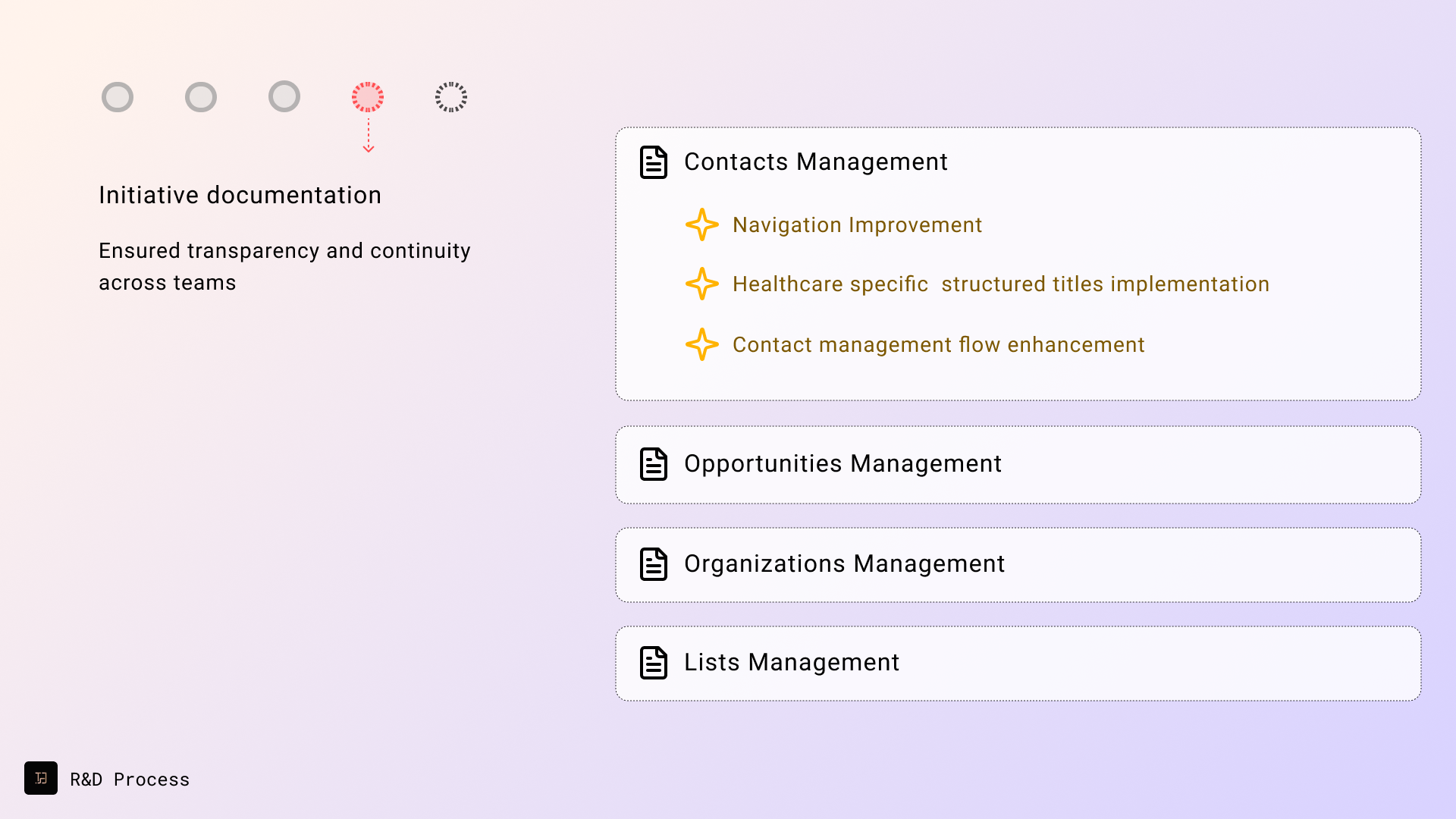
- Comprehensive Documentation: Ensured transparency and continuity across teams. Documented usability initiatives and key changes to ensure smooth handoffs. Collaborated closely with front-end engineers to sync React component libraries with Figma UI libraries across the platform.
- Feature-based Roadmap: Informed by all four research insights, we gathered all the insights into the product roadmap to prioritize features that would drive meaningful improvements in user satisfaction and engagement.




Design Principles Enabled
From the big scope research phase to the detailed design iterating phase, I set up three design principles to ensure potential design solutions meet both user needs and business goals:

Feature Redesign Process
Given the scope of the project, each feature was carefully reviewed, owned, and iteratively refined by individual team members. As a Lead Product Designer and Team Lead, I prioritized tasks, managed individual contributions, and tracked the design process to ensure alignment and progress. Key contributions included:
1. Examine Accessibility Issues and Create Design System Foundation
Objective:
“How might we ensure consistency and accessibility during the iterative process from design to development?”
Challenges:
The lack of a design system caused misalignment between design and development efforts, leading to inconsistencies across the platform. With rapid prototyping in progress, our team initiated the development of a design system foundation to address these gaps and ensure alignment with design principles in the latest iterations.
Actions:
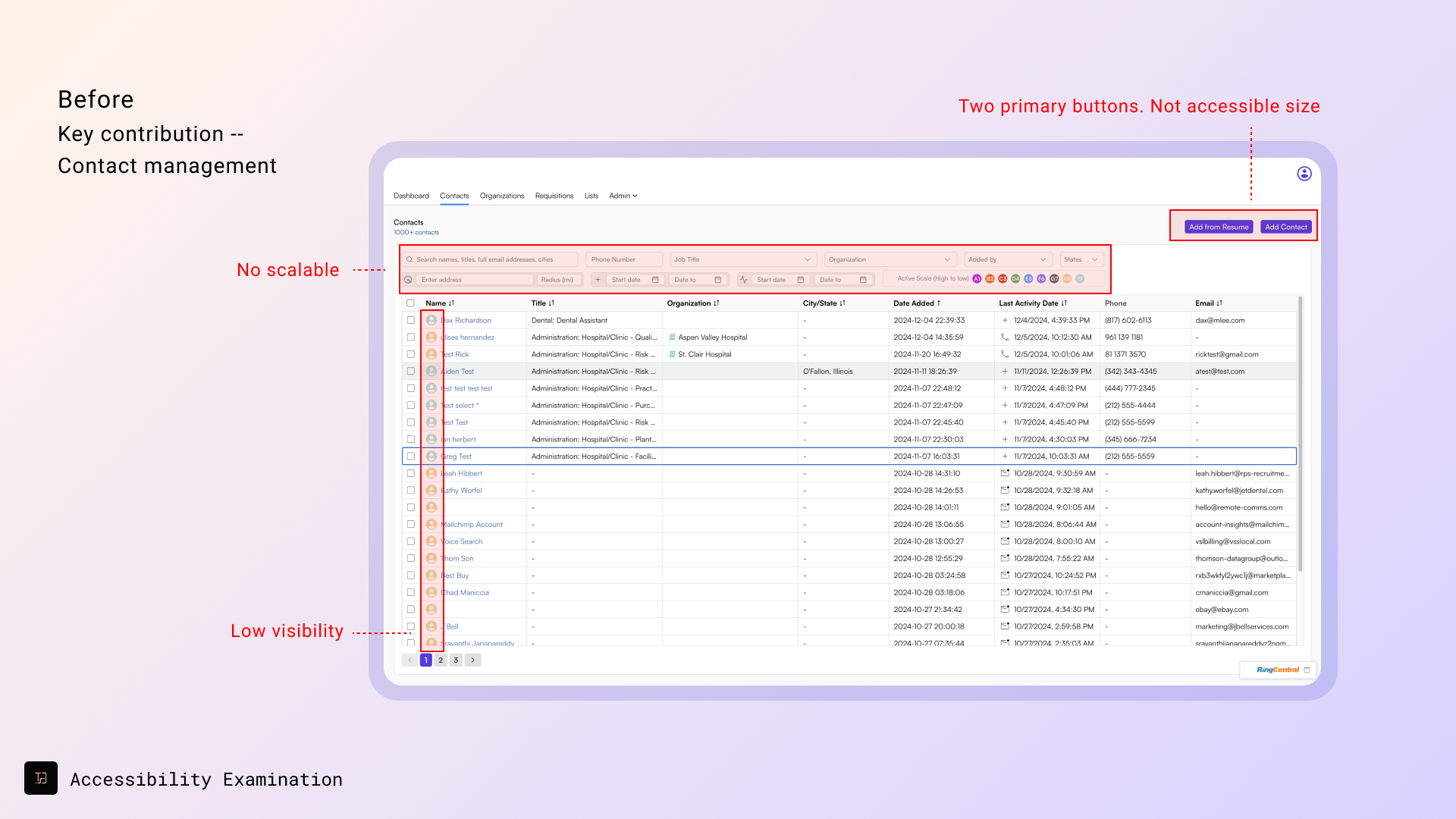
- Conducted a platform-wide audit to identify accessibility and consistency issues.
- Established a unified framework, focusing on scalability and accessibility.
Outcomes:
- Created baseline components to meet WCAG2.2 standards such as primary and secondary buttons
- Ensured brand consistency through a unified design language across the platform.

2. Redesign Scalable Navigation Menu and Filter Panel
Objective:
“How might we enhance efficiency, and provide customizable features within a user-friendly design?”
Challenges:
- The existing top navigation and sub-navigation lacked scalability and conveyed an outdated aesthetic, limiting the platform’s adaptability to new features.
- The advanced filter, stacked above the table, frequently extended beyond three rows, causing usability and visual clutter.
Actions:
- Explored best practices in navigation efficiency through competitive analysis and case studies from industry leaders.
- Conducted lightweight A/B testing to evaluate and refine navigation layout modifications based on direct user feedback.
- Developed multiple design iterations for wireframes and prototypes to address scalability and usability concerns.
Outcomes:
- Created wireframes to explore and refine optimal navigation and filter layouts.
- Designed scalable side panels with unified layout rule to ensure scalability and design consistency.
- Designed responsive layouts to help developers understand how screens adapt to different desktop sizes.


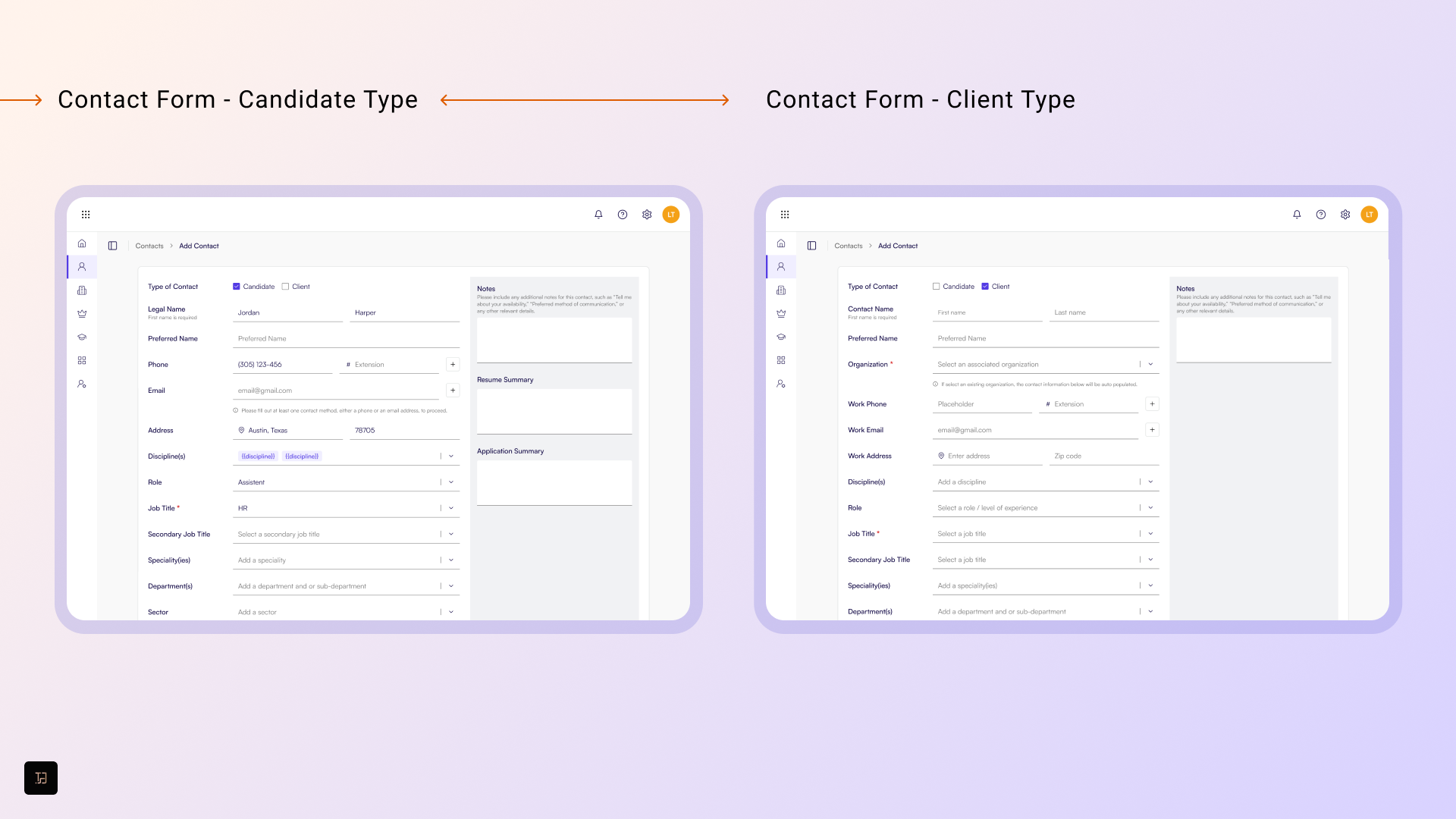
3. Redesign Contact Management
Objectives:
“How might we verify and confirm a contact’s name and title to ensure the quality of information?”
“How might we optimize recruiter’s workflows while calling and adding contacts through the platforms?”
Challenges:
- Missing core features made tasks like adding contacts during calls time-consuming and error-prone.
- Recruiters faced frequent context-switching, such as toggling between tabs to add or update contacts, write notes, and search records.
- The system struggled to handle complex or overlapping contact attributes, reducing its effectiveness in real-world recruiting scenarios.
Actions:
- Conducted user research to identify workflow inefficiencies and pinpoint specific recruiter pain points.
- Designed and prototyped an enhanced in-call interface with quick-access buttons and auto-population features to minimize manual effort.
- Introduced color-coded indicators to visually flag verified and unverified data, improving clarity and workflow precision.
- Implemented a dynamic search and tagging system to improve contact accessibility and organization.
Outcomes:
- Led user research to understand existing pain points and workflow inefficiencies.
- Developed wireframes and prototypes emphasizing usability and clarity.
- Reduced 20% task completion time with adding new contact flow by user testing
- Collaborated with stakeholders to validate the design and align it with business objectives.


4. Redesign List Management by Types
Objective:
“How might we help users efficiently manage lists categorized by their needs?”
Challenges:
- Users could only group one item type per list, creating inefficiencies for managing contacts, organizations, or opportunities collectively.
- Searching and managing lists across the organization was cumbersome and time-consuming, impacting workflow effectiveness.
Outcomes:
- Conducted user interviews to understand the need for grouped lists and validated the demand for combining multiple item types into a single list.
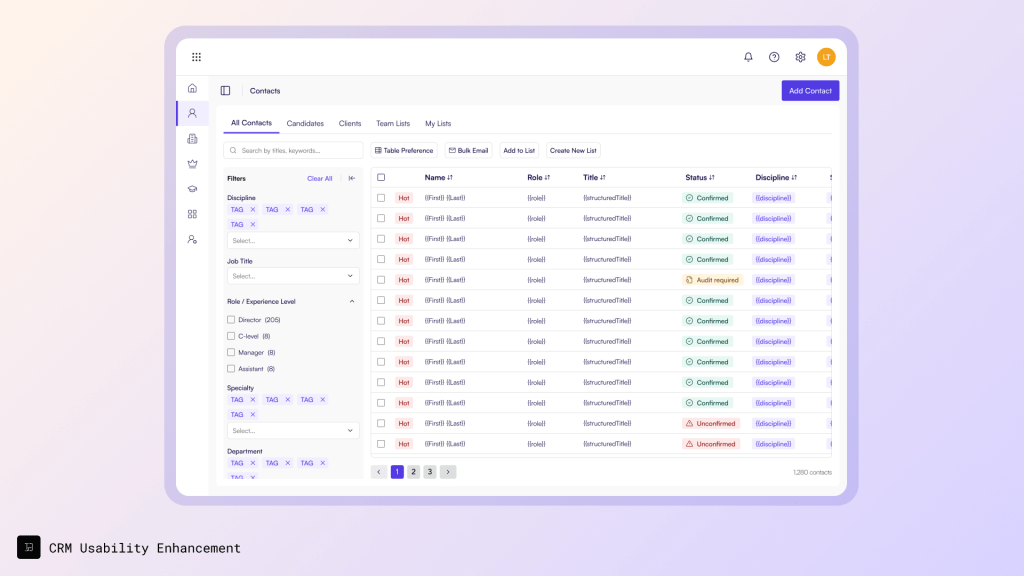
- Redesigning the list management interface to support multi-type grouping (contacts, organizations, opportunities) within a single view.
- Implementing customizable list views, enabling users to tailor list structures based on their preferences and workflow needs.
- Partnering with the development team to create scalable backend logic, ensuring lists could be efficiently organized and searched across the platform.
What I expect to achieve:
- Introduce integrated list views within type-specific pages, streamlining access and organization.
- Deliver flexible list options that cater to diverse user workflows and organizational structures.
- Ensure the new list management system can adapt to future expansions and organizational growth.
Impacts
The redesign initiatives led to significant improvements in the product and user experience:
- Enhanced Usability: Accessibility updates and the introduction of a design system improved consistency and reduced errors in implementation.
- Actionable Insights: User research findings and roadmap updates bridged the gap between design and development, ensuring alignment with strategic goals.
- Scalable Design: Responsive layouts and customizable features enabled smoother development processes and adaptability to user needs.
These outcomes enhanced user satisfaction and established a strong foundation for future roadmap initiatives, enabling next steps, including:
- Core Management Enhancement: Contacts, Accounts, Opportunities are core items across the platform. They require to be reviewed and redesigned with the enhanced design principles.
- List Management Enhancement: Managing relationships by grouping items are essential for users to do bulk actions. With available user data, list management can be informed and start to improve for the next step.
- Features Development: Features including bulk action, customization can be scalable based on the new design principles.
Key Takeaways
✔️ Collaboration is the Backbone of Design Success
By maintaining frequent, detailed communication with developers and stakeholders, we ensured that design intent translated seamlessly into functional solutions. This proactive approach fostered shared ownership and smoother implementation.
✔️ Research Shapes Meaningful Solutions
Engaging in research early allowed us to uncover missing opportunities and adapt to shifting business priorities. Understanding real user needs before designing features prevented assumptions from driving decisions.
✔️ Learning from Real Workflows Matters
Rather than guessing how recruiters worked, we conducted interviews to capture authentic behaviors and pain points. These insights directly informed our roadmap and guided design choices, creating workflows that truly matched how users operate day-to-day.

 Tsai-Shiuan Weng